mcp.jsonagent config
"tradebelay": {
  "type": "http",
  "url": "https://tradebelay.com/mcp"
}get_accountget_quoteplace_ordercancel_order
Your account, your limits and everything your agent tried, in one place.
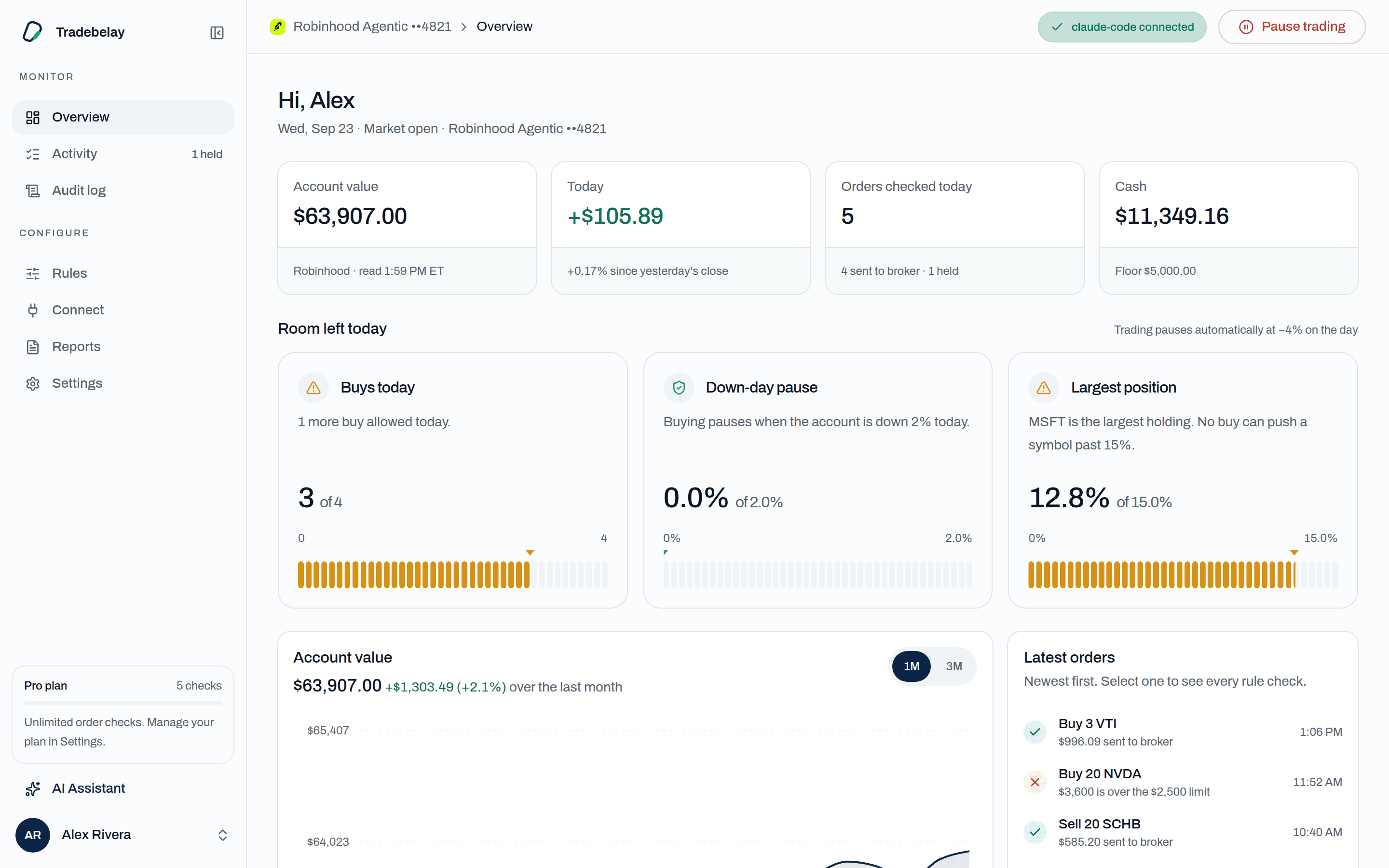
Live balances from your broker, how much room each limit has left today, and every order your agent tried.
Your agent keeps its tools and its judgment. Tradebelay decides which orders are allowed to reach your account.
See the rulesAlpaca works end to end today: link it with an API key, try your rules on a paper account, and move to live when you're ready. Tradebelay never sees a broker password, and keeps tokens and API keys encrypted. US stocks and ETFs.
Start on an Alpaca paper account to watch your rules work before real money is involved, then switch to live with a new key.
Start with Alpaca paperWe're finishing Robinhood support. It can't be linked yet; Alpaca is ready now.
We're finishing Webull support. It can't be linked yet; Alpaca is ready now.
Works with the agent you already use
Setup steps for each are built into the dashboard. Any MCP client that supports remote HTTP servers works.
Rules live in one plain YAML file you can diff and keep in version control. Pick a rule to see where it lives. Nothing here is a suggestion from us: the numbers are yours.
1# rules.yaml · checked on every order2order:3 asset_classes: [stock, etf] # crypto: coming soon4 max_buy_usd: 25005 limit_band_pct: 1.56 order_types: [limit]7 sessions: [regular]8 window: "09:45-15:30 ET"9 symbols:10 deny: [TQQQ, SQQQ]11 require_rationale: true12account:13 max_position_pct: 1514 cash_floor_usd: 100015 max_buys_per_day: 616 pause_buys_if_down_pct: 217behavior:18 no_same_day_round_trips: true19 no_shorting: true20kill_switch:21 auto_if_down_pct: 4The AI Assistant lives in your dashboard. It reads your balances, orders, activity and audit log through Tradebelay's own tools, explains what happened, and drafts rule changes for you to approve. It can't trade.
AI Assistant
It was over your $2,500 max per buy. Your agent asked for 20 shares at $180, about $3,600, so the order stayed with Tradebelay and nothing reached your broker.
The defaults assume something will go wrong: a broker timeout, a stale balance, an agent stuck in a loop. Each one ends with the order held, not guessed through.
What happens when…
If Tradebelay can't read your account state, the order is blocked. It never approves on a guess.
Budget rules never block a sell that lowers your exposure. Cancels always work.
Pause all of your agent's trading with one tap from the dashboard, or automatically when the account is down a set percent on the day.
Every entry carries the hash of the one before it, so a missing or edited record shows.
Every plan is hosted and gets every safety rule. Start free, and upgrade from Settings when your agent needs more room.
Free
Every safety rule, with tight limits on volume.
Free
Hosted · no card needed
Plus
For an agent that trades every day and needs room to work.
Billed monthly · cancel any time
Pro
For owners who want no limits and a plain-English account of what their agent did.
Billed monthly · cancel any time
Questions
Short answers about how orders are checked, what happens when things fail, and where your credentials live.
Our one promise
We sell safety, not returns. Tradebelay holds your agent to the rules you set, and never tells it what to buy.
Link Alpaca, live or paper, pick limits sized to the account, and add Tradebelay to your agent with one command. Every order is checked before it reaches your broker.